
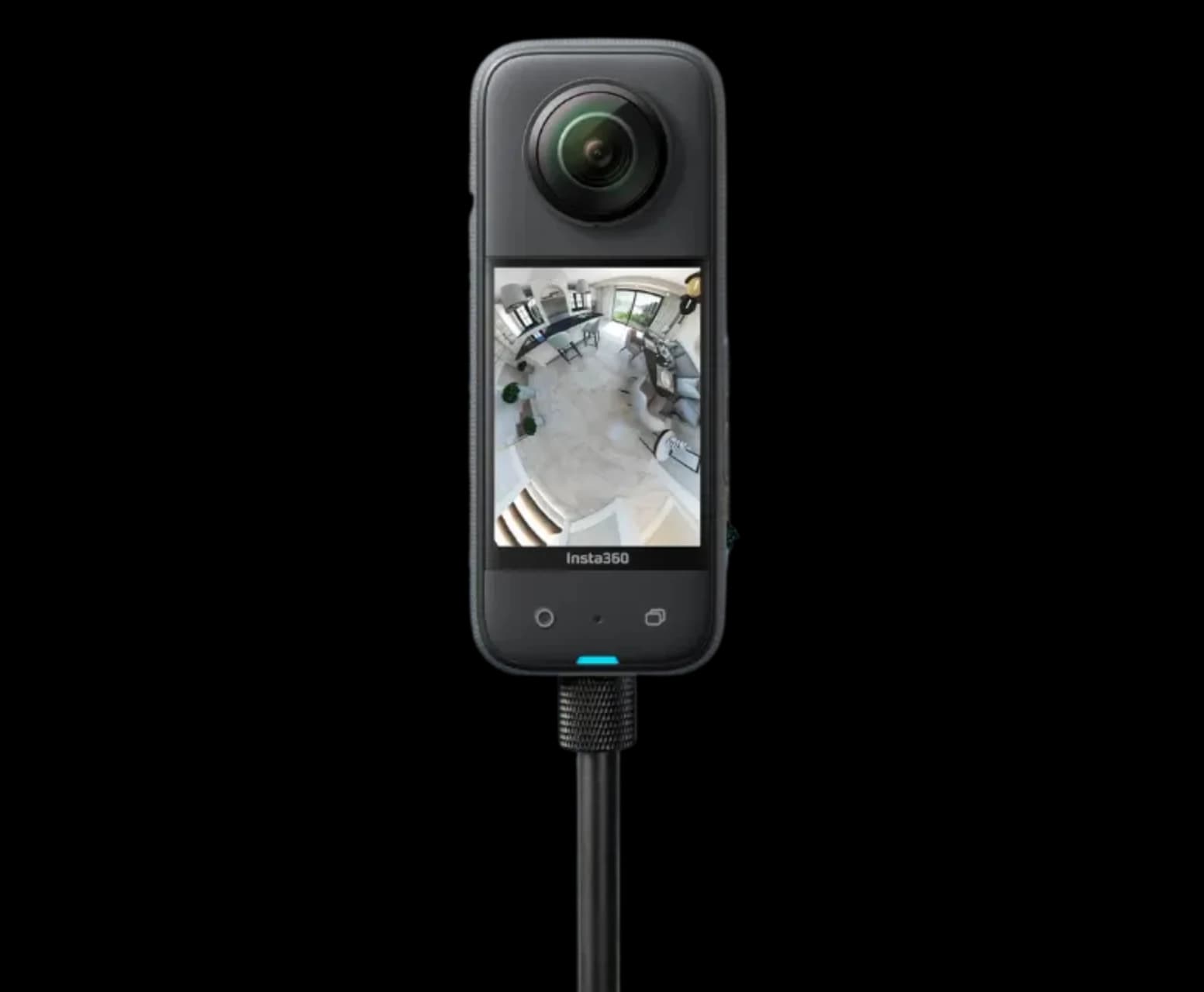
Real spaces captured on site
360° Virtual Tour Photography
360 Space provides 360 photography services for real spaces captured on site: ready-to-move homes, hotels, showrooms and campuses. Our 360 virtual tour photography turns a shoot into an interactive virtual tour of a real space that opens on any phone. It is immersive 360 photography built as a 360 virtual tour for hotel, school, commercial space and homes.
- ready-to-move homes
- hotels
- showrooms
02What it is
360 photography captures a real, finished space with a 360° camera from several points, then links the panoramas into an interactive virtual tour of the real space. It suits spaces people want to inspect before visiting: ready flats, hotel rooms, showrooms, schools and factories.
03What it is, continued
Virtual tour photography of spaces that already exist
For spaces that are not built yet, we render the tour from drawings instead. See 360° rendered virtual tours . Ready-property scanning with dollhouse models is also available through Real360 .
We run each 360° virtual tour shoot on site and publish interactive real-space tours that open on any phone. Hotel and showroom 360 tours are among the most common briefs.
Where 360 photoshoots are used
- 01Ready-to-move homes and resale listings
- 02360 virtual tours for hotels, schools and commercial spaces
- 03Showrooms and experience centres
- 04Factories and plants for buyers and investors
05Capture
How a 360 shoot works
01Step 1 of 5
Plan the route
Capture points chosen from the floor plan so every room connects.
02Step 2 of 5
Prepare the space
Clean, lights on, personal items cleared, doors open.
03Step 3 of 5
Capture on site
Panoramas shot at each point. The capture plan is agreed before the visit.
04Step 4 of 5
Edit and link
Colour, exposure and hotspots added; panoramas linked into a tour.
05Step 5 of 5
Publish
Tour delivered as a link and embed for your website and listings.
06Preparation
How to prepare a space for a 360 shoot
A well-prepared space is faster to capture and easier to enjoy. This is what your team can do before we arrive.
Clean and clear
Remove clutter, personal items and temporary signs, since a 360 view shows every corner.
Lighting
Turn on the design lights and plan the shoot for the best natural light.
Furniture
Set furniture to the intended layout so the room looks complete from every direction.
Access
Confirm keys, lifts, security and permissions so the shoot runs without waiting.
People
Plan for an empty space where possible, or tell us where staff or residents will be.
Brand details
Check that signage, logos and displays are current, because they show in the tour.
07Industries
Who commissions 360 photography
Photographed tours serve any business with a physical space that customers want to see before visiting.
Developers and brokers
Ready homes and sample flats.
Hotels and resorts
Rooms, venues and facilities.
Brands and retailers
Showrooms and experience centres.
Manufacturers
Plants and warehouses for buyers and auditors.
Schools and institutions
Campuses for families and partners.
Offices and co-working
Spaces for leasing teams.
08In detail
360 photography in detail
What a shoot captures, how each type of space is planned, what can be added and where tours are published.
01
What 360° virtual tour photography captures, and how it is stitched
Panoramas at chosen positions, joined by hotspots into a tour of the real space.
A 360° virtual tour of a real space is made from panoramic photographs taken at chosen positions, then joined by hotspots so a viewer can move through the space. We capture each position with a camera on a tripod, balancing bright windows against darker interiors, then stitch the frames into a spherical panorama, correct colour and verticals, and publish the tour.
The camera position matters more than the equipment. A tour point is placed where the room is clearest, at a standing height, and far enough from walls to avoid distortion. Furniture is arranged in advance and anything that spoils the view is removed before the shot.
Rendered 360° tours show spaces that are not built yet. Photographed tours, which this service covers, show spaces that exist now. We do both and can combine them in one tour when a project has built and unbuilt parts.
What happens on shoot day
- A walk-through with your team to agree the route
- Rooms prepared: lights, curtains, furniture and clutter
- Panoramas captured at each agreed position
- Extra images for tricky views such as windows and mirrors
- A quick check on site before the team leaves
02
Photographed 360 tours by type of space
Each kind of space gets its own capture plan.
| Space | What the tour shows | Capture notes |
|---|---|---|
| Ready apartments and villas | Layout, finishes, view and light | Shoot with daylight, lights on where it helps |
| Hotels and resorts | Rooms, public areas, dining and pool | Plan around guest use and housekeeping |
| Showrooms and retail | Display layout and brand environment | Shoot before opening or after closing |
| Factories and industrial sites | Production floors, warehouses, equipment | Safety briefing and clear walkways first |
| Schools and campuses | Classrooms, labs, sports and common areas | Shoot when buildings are empty |
| Offices and co-working | Floor plates, meeting rooms, amenities | Clean desks, working lights, no screens on |
03
Hotel and resort 360° virtual tours
Rooms, suites, banquet halls and grounds, ready for your booking site.
We capture hotel virtual tours and resort 360 tours on site. Guests and event planners want to see the room or hall before they book, and a room or banquet hall tour answers that on the booking site. Shoots are scheduled around occupancy so guests are not disturbed.
What hotels capture
- Each room category
- Suites
- Banquet halls and lawns
- Restaurants and spa
- Lobby and arrival
04
Showroom and experience centre 360° tours
Interactive showroom tours with product hotspots that link to your website.
A product hotspot tour turns a physical showroom into a shareable link. Customers and dealers walk the floor, tap products and jump to their pages. When displays change, the affected points are reshot and relinked.
Tour features
- Product hotspots with links
- Floor plan navigation
- Enquiry and WhatsApp buttons
- Dealer-shareable link
05
Factory and industrial 360° tours
Plants and warehouses explained with hotspots for buyers, auditors and investors.
Buyers and auditors cannot always visit a factory. A manufacturing facility tour walks them through each stage with hotspots explaining the process, equipment and certifications you choose to show. Tours can be private (link only) or public on your website.
Tour features
- Process hotspots
- Private or public link
- Safety-compliant shoot planning
- Warehouse virtual tour for logistics clients
06
What can be added to a photographed tour
Hotspots, a floor plan menu, enquiry links and branded screens.
Hotspots can label rooms, show details or link to documents. A floor plan menu lets viewers jump between areas, and a contact action turns interest into an enquiry. For hotels and showrooms the tour can link to booking or enquiry pages; for schools and campuses it can show facilities with short captions.
Photographed tours can also be combined with rendered 360° tours when part of a project is built and part is still on drawings.
Common additions
- Room labels and info points
- A floor plan menu with a position marker
- Links to enquiry or booking pages
- Branded start and end screens
- Embedding on websites and listing pages
07
Where a photographed 360 tour can be published
Delivered as a link and embed code, so it lives wherever your audience looks.
Your own channels: a page on your website, a button on a property page, or a QR code in a brochure or on signage. Shared links: messaging apps, email, social posts and sales presentations. Listings and platforms: property portals that accept 360 links, hotel and travel pages where embeds are allowed, and business profile pages where the platform supports tours.
08
What good 360 photography looks like
Straight verticals, even exposure, no seams, tripod removed.
A good tour is easy to forget as photography, because nothing in it distracts. Exposure is the hardest part indoors: we capture multiple exposures at each position and combine them, keeping the view outside visible without making the room dark, and balance colour so whites look white.
We place the tripod at a consistent eye height away from walls, remove it from the floor of each panorama after stitching, and check seams on a large screen before delivery.
Checks before a tour is delivered
- Verticals straight and horizons level
- Even exposure from windows to corners
- No visible stitching seams
- Tripod removed from the floor
- Colour balanced and consistent between rooms
09
Photographed 360 tour or a rendered tour: which do you need?
The choice depends on whether the space exists.
| Situation | Use | Why |
|---|---|---|
| The space is built and ready | Photographed tour | It shows the real thing |
| The space is under construction | Rendered tour | It shows how it will look |
| Part built, part planned | Both, joined in one tour | Buyers see one coherent project |
| The space is built but empty | Photographed tour plus virtual staging | Shows potential without moving furniture |
| The space changes often | Photographed tour with planned refreshes | Individual points can be replaced |
09FAQ
Questions about 360° virtual tour photography
How is 360 photography different from a rendered tour?
360 photography from 360 Space captures a real, finished space on site with a 360° camera. A rendered tour is made from drawings for spaces not built yet. Both open in the same interactive viewer. See rendered vs photographed tours.
How long does a 360 shoot take?
A 360 shoot at 360 Space depends on the size of the space and number of capture points. We agree the capture-point list before the visit and confirm the shoot window in the quote.
Where can the tour be published?
360 Space delivers each 360 virtual tour as a web link and an embed code for your website, listings and social posts. Google Street View publishing is not offered.
Do you travel outside Mumbai for shoots?
Yes. We travel for on-site 360° photography across India. Travel details are confirmed in the quote for your location.
How should we prepare a property for a 360 shoot?
360 Space advises clearing clutter, turning on design lights, setting furniture to its final layout and confirming access before the shoot. Because a 360 view shows every corner, the more complete the room looks, the better the tour. We share a short checklist when the shoot is booked.
Can you combine photographed and rendered rooms in one tour?
Yes. When a project has built and unbuilt areas, we can join photographed panoramas of existing spaces with rendered 360° views of areas still on drawings. The result is one tour, with consistent navigation, so buyers see the full project in one experience.
How many panoramas does a photographed tour need?
360 Space sets the number of positions by the size and layout of the space and what the tour must show. A home needs fewer positions than a hotel or factory. We agree the route and positions with you at the walk-through so nothing important is missed.
Can the tour link to our enquiry or booking page?
Yes. We can add contact points inside a photographed tour that link to your enquiry form, booking page or messaging number. The link opens from a hotspot, so interested viewers can act without leaving the tour to search for your details.
How do you handle bright windows in a 360 interior?
360 Space captures several exposures at each position and combines them so the view outside is visible without making the room dark. Colour is balanced so whites look white and finishes look like themselves, which keeps interiors natural.
Do you remove the tripod from the images?
Yes. We remove the tripod from the floor of each panorama and check seams and verticals on a large screen before delivery, so the tour is clean in every direction.
Do virtual tours increase direct bookings?
Virtual tours help guests decide by showing rooms and halls before booking. 360 Space does not quote booking uplift figures without verified data.
Can the tour be added to our booking site?
Yes. We deliver an embed code for your website and booking pages, plus a shareable link.
Can products in the tour link to our website?
Yes. We add product hotspots that link to your product pages or enquiry forms.
Can we update the tour when displays change?
Yes. We reshoot the changed points and relink them, without redoing the full tour.
Can you shoot during production hours?
Usually yes, following your safety rules. 360 Space plans capture points with your team and can shoot during production or at shift changes.
Can hotspots explain each process?
Yes. We add hotspots with text, images or video explaining each process stage.
Start a project
Share your drawings, get a scope and quote
360 Space replies with a scope, camera list and timeline. Send CAD, BIM, SketchUp or PDF drawings on WhatsApp or email.