
01Chapter 1 of 4
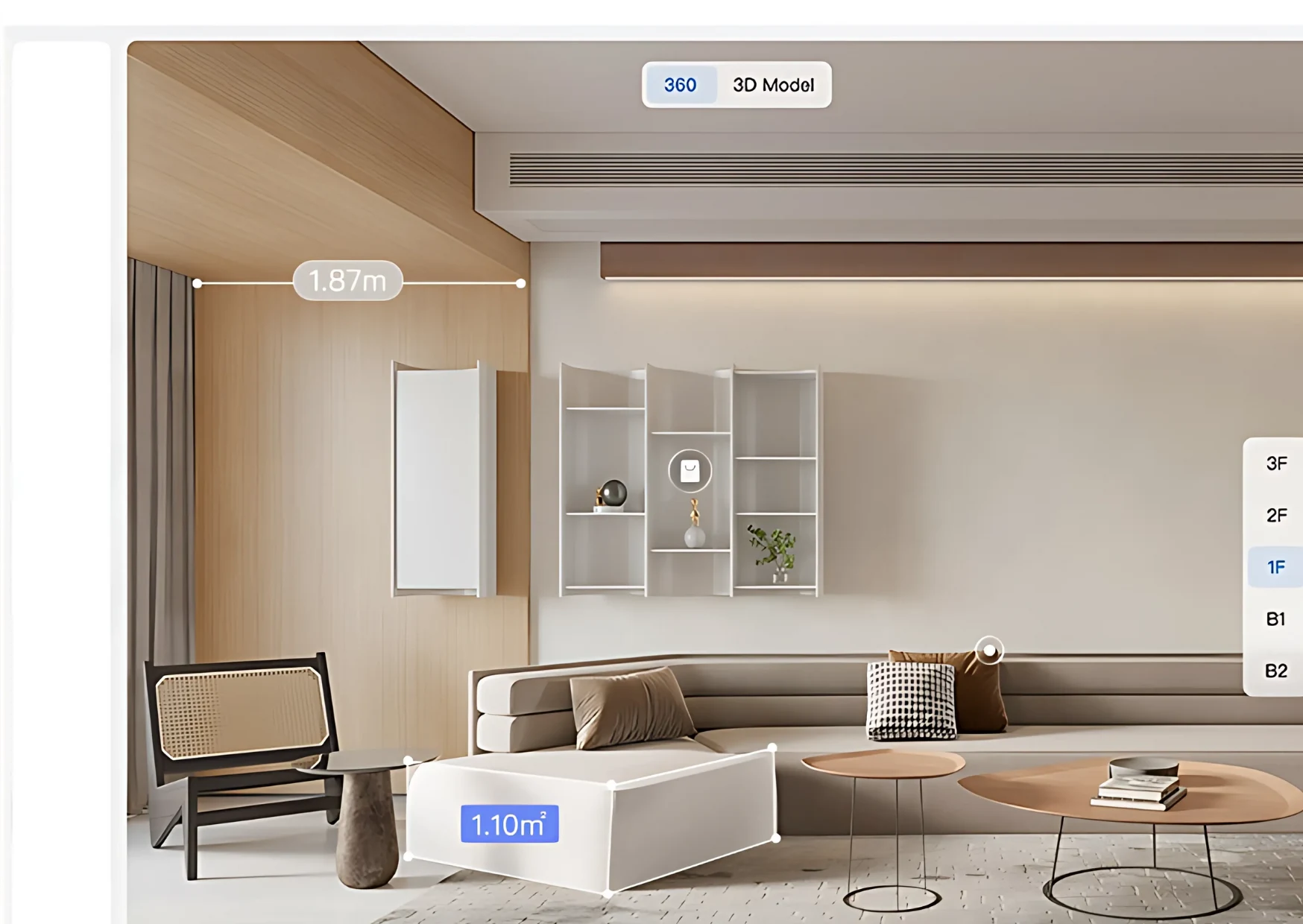
Enter at the door and look around
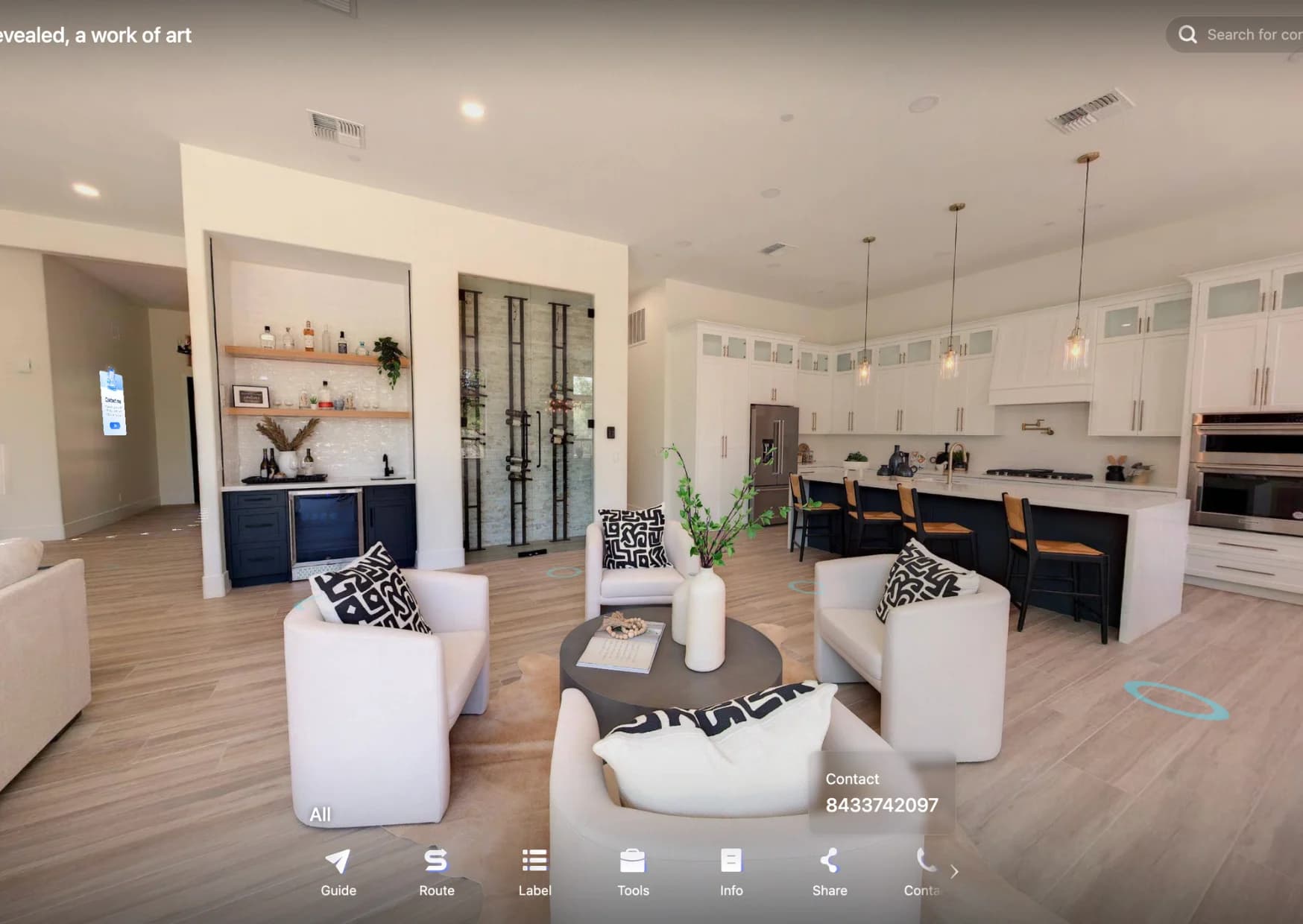
The tour opens in the home and the buyer looks around in 360°, tapping the floor to move from room to room.
RealtyXperience platform
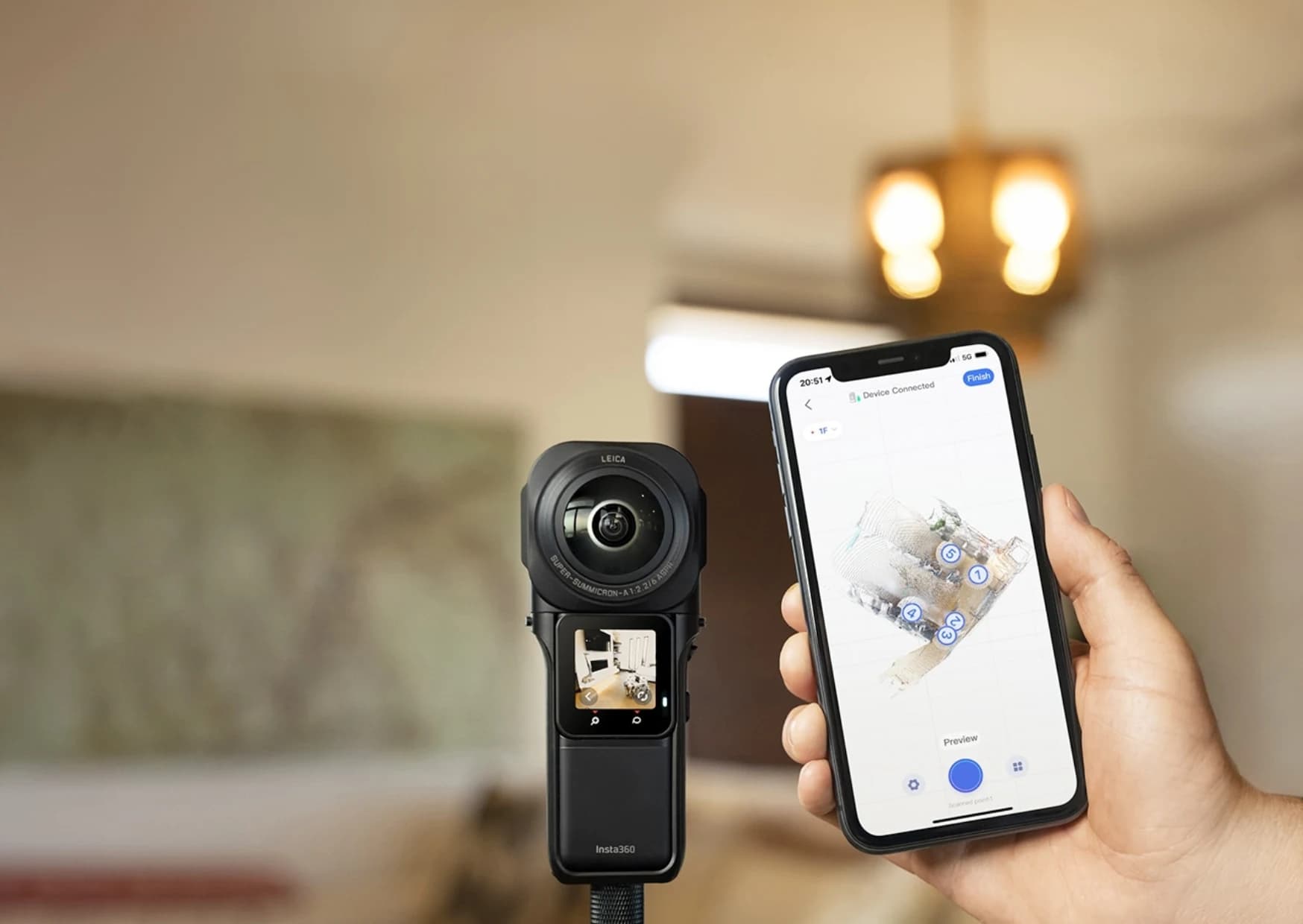
Real360 scans ready properties into immersive 360° tours, with website-ready embeds and lead capture, so buyers can walk through homes remotely on any device.
02Why Real360
Ready homes sell to buyers who want to inspect before they travel. Real360 scans the property into a 360° tour with tools and lead capture built in, so a buyer can walk through from anywhere.
Remote viewing, no site visit
03At a glance
Press a number to see what is inside.
Every tour is built from these.
Switch between them from the top of the tour.
A link or an embed, the same tour on every channel.
04What it does
Ready property virtual tours suit inventory buyers want to inspect before visiting: ready-to-move flats, resale homes and rentals. Real360 captures the space by 360 property scanning and turns it into a remote property walkthrough that works across devices.
A virtual tour with lead capture turns views into enquiries, and website-ready embeds put the tour on your own page.
05Inside it
Each module is a tool the buyer can use.
06The buyer journey
A tour is ordered the way a buyer inspects a home: walk in, check the layout, learn the details, then ask.
01Chapter 1 of 4
The tour opens in the home and the buyer looks around in 360°, tapping the floor to move from room to room.
02Chapter 2 of 4
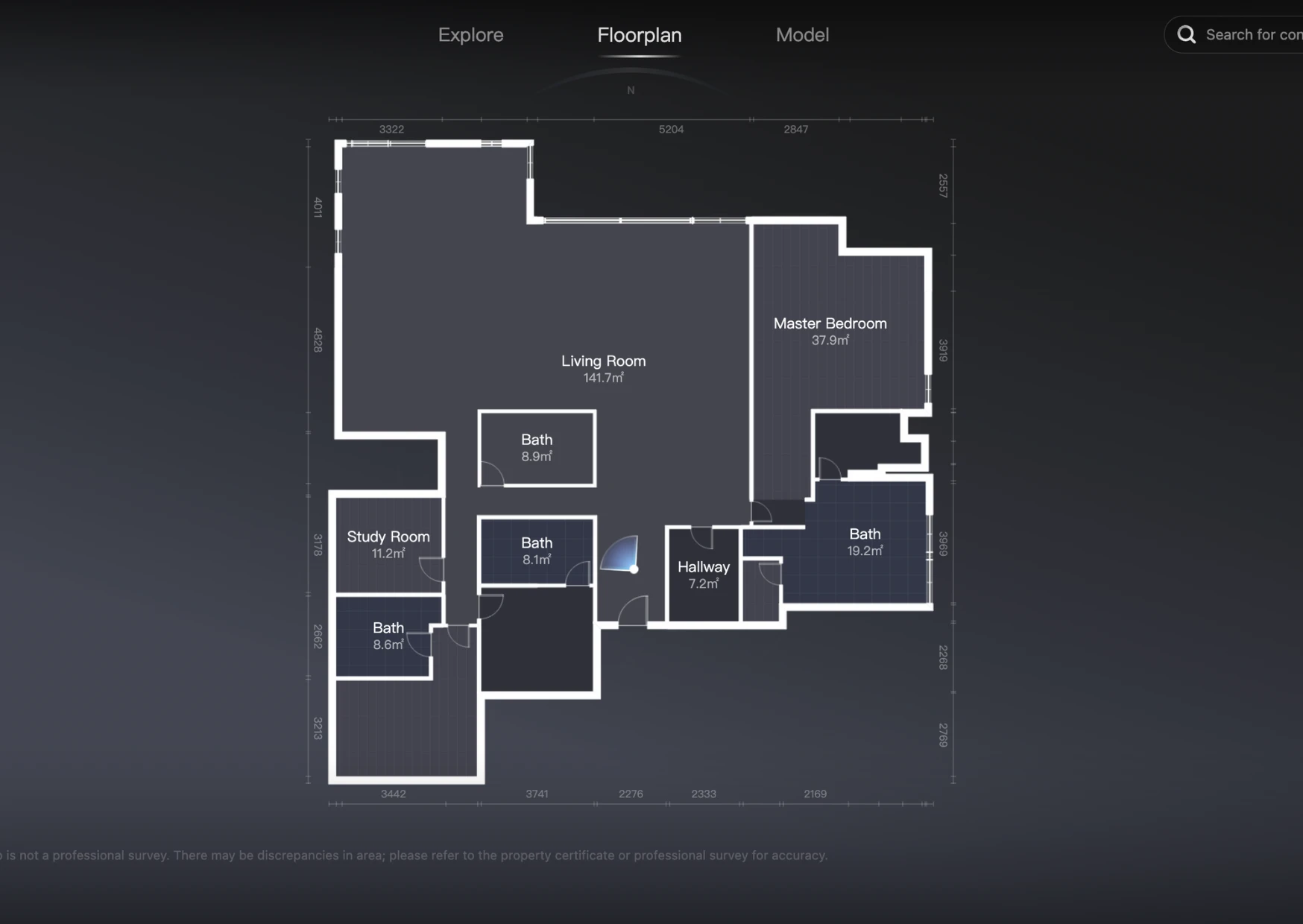
The Floorplan and Model views show how the rooms connect, so a buyer understands the whole home in a minute.
03Chapter 3 of 4
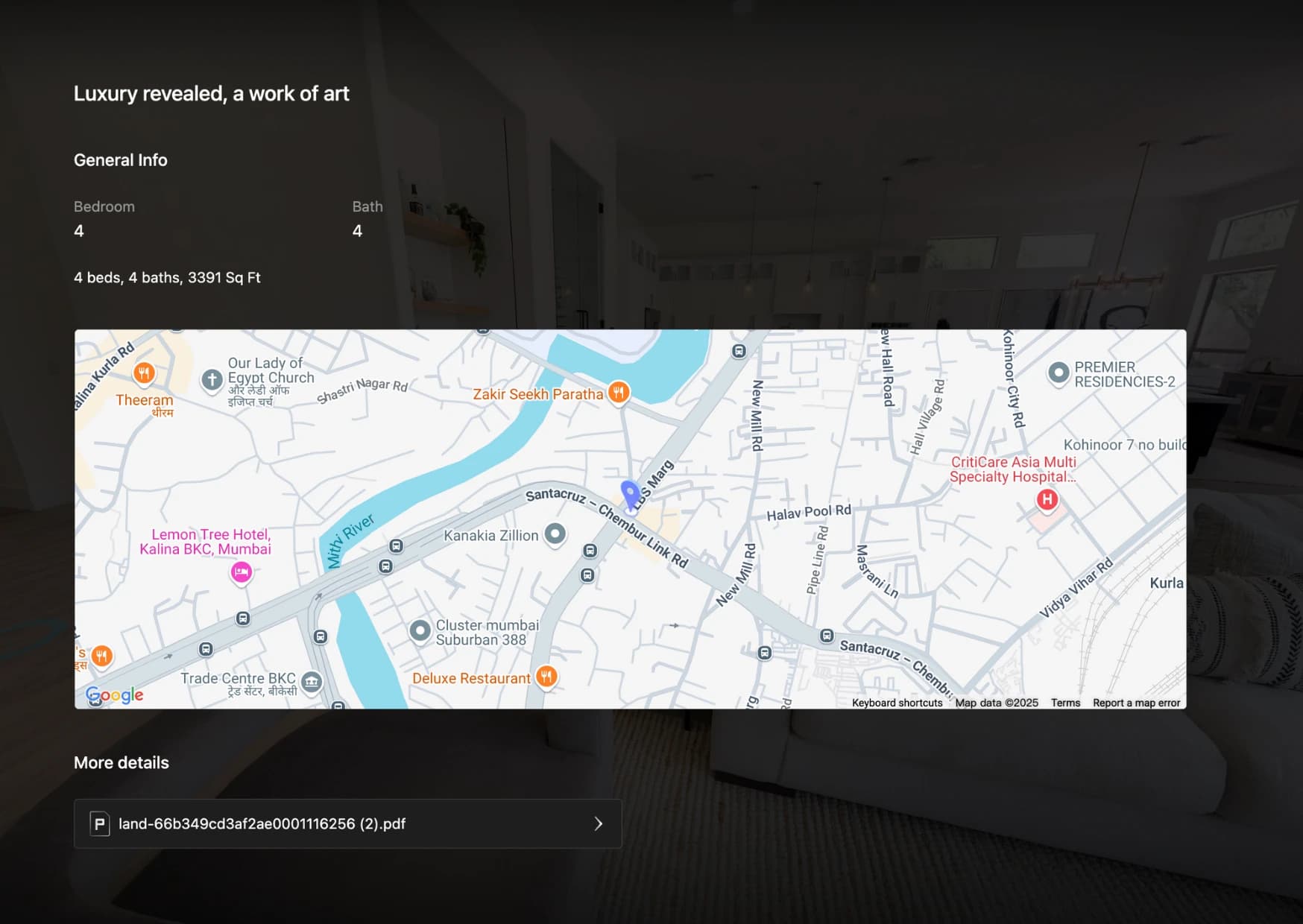
Measuring, property information, the location map and media hotspots answer the questions a buyer would ask on a visit.
04Chapter 4 of 4
The contact card collects name and number inside the tour, and the lead goes where you choose.
07Live demo
A live Real360 tour, scanned on site and opened from a single link.
Real360 Pro: a luxury home tour scanned on site.
08Compare
Real360 starts from a property that exists. A rendered tour starts from drawings. See rendered 360° tours.
| Question | Real360 (scanned) | Rendered 360° tour |
|---|---|---|
| Is the space built? | Yes, scanned on site | Not yet, made from drawings |
| Best for | Ready-to-move flats, resale homes, rentals | Pre-launch and sample flats online |
| Site access | Needed for the scan | Not needed |
| Includes | Dollhouse model, floor plans, measuring, lead capture | Hotspots, floor plan, day and night where rendered |
| Updating | Rescan the property | Update the model and re-render |
09Who it is for
Unsold ready homes that buyers want to inspect before they travel.
One tour link to send to a buyer instead of arranging a viewing for every enquiry.
A walkthrough tenants can finish remotely, with the floor plan and a measuring tool.
10FAQ
Real360 is a 360 Space platform that scans ready properties into immersive 360° tours with website embeds, lead capture, dollhouse models and floor plans.
Real360 lets buyers inspect ready homes remotely and turns tour views into enquiries, so sales teams spend site visits on serious buyers.
360 Space needs access to the ready property, plus where leads should go and where the tour will be embedded.
Yes. Real360 tours are web links and embeds that work in ads, social posts, websites and on site-office screens. Google Street View publishing is not offered.
Book a Real360 demo from the contact page or on WhatsApp. 360 Space walks you through a live example and how it would work for your project.
11Keep exploring
Start a project
360 Space replies with a scope, camera list and timeline. Send CAD, BIM, SketchUp or PDF drawings on WhatsApp or email.