
Start from a render you already trust
Share an approved interior, exterior or floor plan. The design is locked, so the clip shows exactly what was approved.
Approved renders and floor plans
RealtyXperience platform
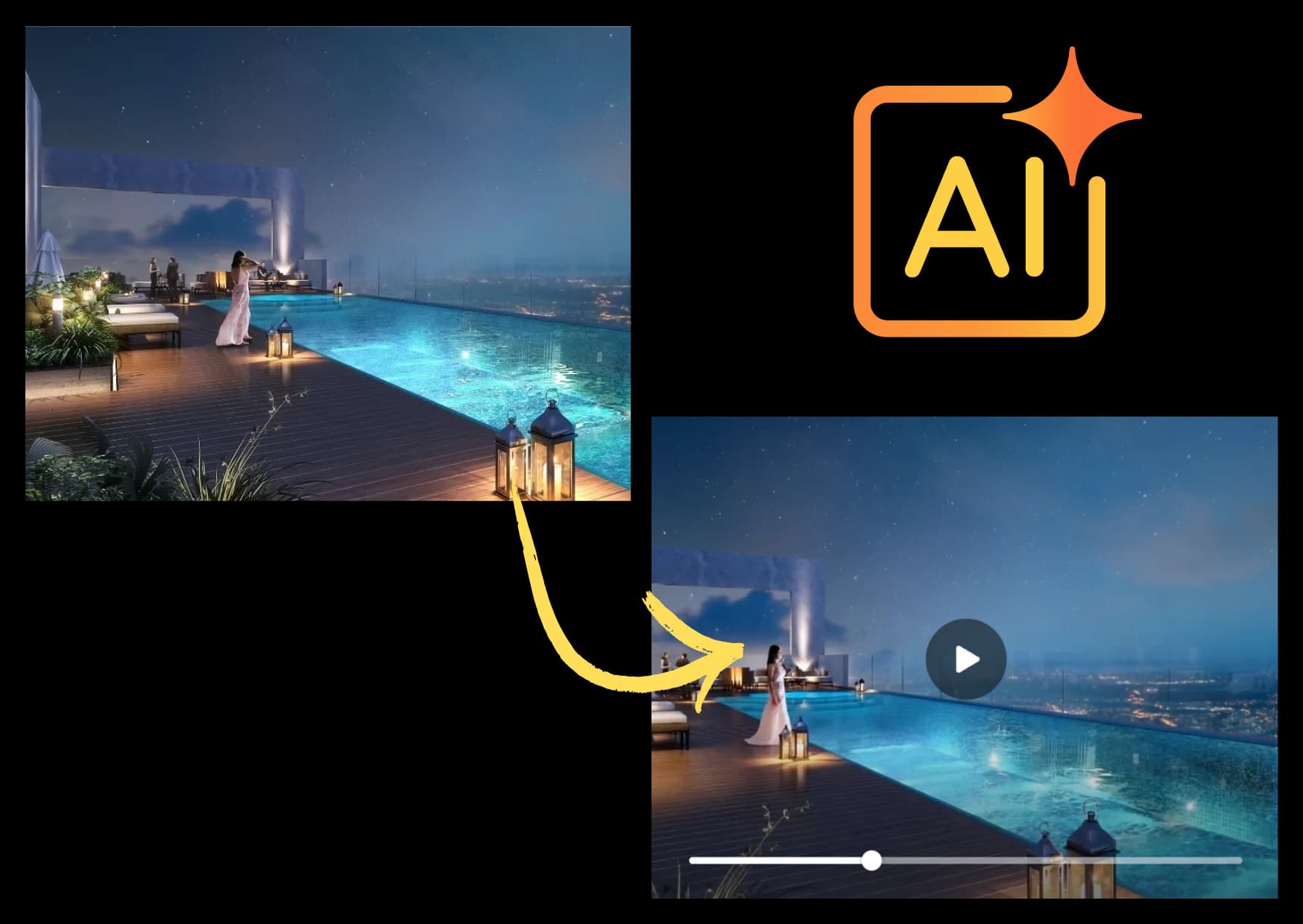
SceneAI turns static property renders into animated videos using AI. It is a fast way to feed real estate ads and social media with motion, from images you have already approved.
02Why SceneAI
A campaign needs fresh creative every week, and a film each time is slow. SceneAI turns the renders you have already approved into motion clips, so the ads and the feed keep moving.
Approved stills in, clips out
03At a glance
Press a number to see what is inside.
Pick the motion that fits the still.
Cut to the aspect ratio and length of each.
The building, rooms and finishes stay as approved.
04What it does
SceneAI turns static property renders into animated videos using AI. After launch, marketing teams need new creative every week, and SceneAI creates animated renders for social media from approved stills, so the campaign keeps moving without commissioning a new film each time.
This is image to video real estate content: the buildings, rooms and finishes stay exactly as approved, and the motion is added around them.
05Inside it
Each clip is a motion you can pick.
06How it works
SceneAI works from renders you have already signed off, so there is nothing new to approve in the design.
Share an approved interior, exterior or floor plan. The design is locked, so the clip shows exactly what was approved.
Approved renders and floor plans
07Live demo
These clips play on their own, muted.
08Compare
SceneAI is for motion from stills you already have. A full walkthrough film is still the right call for a launch hero. See 3D walkthrough animation.
| Question | Traditional 3D | SceneAI |
|---|---|---|
| Turnaround | 15 to 30 days | 3 to 5 days |
| Scene variation | Manual rework per version | AI-powered variant generation |
| Many clips at once | Bottlenecks and delays | Scales with the number of stills |
| Revisions | Manual and slow | AI-based and fast |
09Use cases
SceneAI is our approach to AI real estate marketing: approved stills turned into short motion clips for social posts and ads, so a launch has fresh content without a new production for every post.
Weekly posts and project updates that keep the launch in front of buyers.
10FAQ
SceneAI is a 360 Space platform that turns static property renders into animated videos using AI, for real estate ads and social media.
SceneAI keeps campaigns fresh with motion clips from approved renders, so marketing teams can post new video creative regularly without a new film.
360 Space needs approved renders or floor plans. Aspect ratio and length are set to where each clip plays, and the quote states the schedule.
Yes. SceneAI clips are delivered for social feeds, reels, paid ads and site-office screens.
Book a SceneAI demo from the contact page or on WhatsApp. 360 Space walks you through a live example and how it would work for your project.
11Keep exploring
Start a project
360 Space replies with a scope, camera list and timeline. Send CAD, BIM, SketchUp or PDF drawings on WhatsApp or email.