
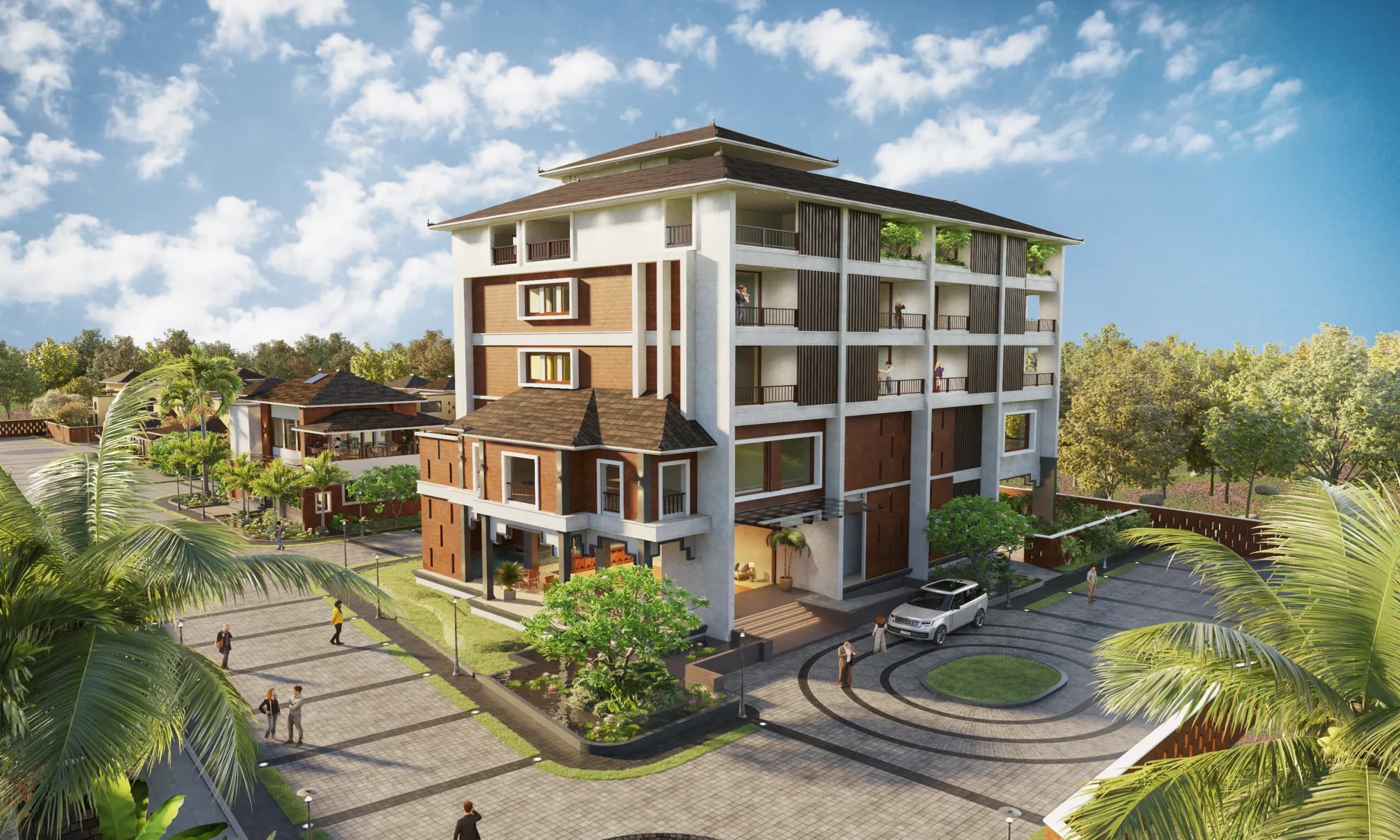
Architectural walkthrough animation, India
3D Architectural Walkthrough Animation
360 Space provides 3D architectural walkthrough services, including 3D architectural walkthrough animation and 3D walkthrough services, for developers: immersive walkthrough films that move buyers through a project before it is built. As a 3D walkthrough company for real estate, we make launch films, flythroughs and social cut-downs for towers, villas, offices, interiors and townships from one model.
- launch films
- site-office screens
- YouTube and ads
02What it is
A 3D walkthrough animation is a directed film that moves through a building, its amenities and its surroundings, made from the 3D model.
03What it is, continued
What a 3D walkthrough animation is for
We produce architectural animation services for launch events, site-office screens, YouTube and paid ads, where buyers need to feel the arrival, the scale and the lifestyle in a couple of minutes.
A walkthrough is linear: we choose the camera path and the story. That makes it immersive rather than interactive. When buyers should explore at their own pace, pair it with a 360° rendered tour.
An architectural walkthrough film follows a storyboard agreed before production, so storyboarded launch films read as one story from the approach to the apartment. Immersive project walkthroughs go further where a 360° version is needed for the sales gallery. Flythrough and reels are cut from the same film, so every version matches.
What goes into a real estate walkthrough video
- 01Arrival and approach with site context
- 02Entrance lobby and drop-off
- 03Amenities and landscape
- 04A sample apartment, room by room
- 05Views from the unit
- 06Closing aerial with the project name
04Services
3D architectural walkthrough animation services we provide
Each walkthrough is built for one kind of project and one place it will be shown. Pick the closest match, or combine several from the same model.
Apartment and tower walkthroughs
Arrival, podium, amenities and a typical home for residential towers, shown the way a buyer would move through the project.
Villa and plotted community walkthroughs
Entrance, internal roads, a sample villa and the landscape, for gated communities and individual homes. See villa rendering.
Commercial and office walkthroughs
Lobby, floor plates, common areas and terraces for leasing teams and investor meetings. See commercial rendering.
Township and masterplan flythroughs
An aerial route across phases, amenities and connections for large sites. See township and masterplan rendering.
Interior and show flat walkthroughs
A camera path through furnished rooms with real finishes and light. See show flat rendering.
Hotel and resort walkthroughs
Arrival, rooms, dining and leisure areas for owners, operators and sales teams. See solutions for hospitality.
360 degree walkthrough tours
The viewer moves between rooms and looks in any direction instead of watching a fixed film. See 360° rendered virtual tours.
VR and interactive walkthroughs
The same model can be set up for a headset or a touch screen in the sales gallery. See immersive experiences.
Social media reels and cut-downs
Short vertical edits of the master film for Instagram, YouTube Shorts and ads. See real estate reels.
Walkthroughs with drone footage
A CGI building placed into real aerial footage, so a project that is not built appears in its real location. See drone services.
05Reel
Walkthrough films from recent projects
Films from our projects. Each streams only when you ask.
06Production
From storyboard to final film: our production process
Details in the 3D walkthrough production process.
01Step 1 of 6
Brief and script
Audience, length, key selling points and where the film will play.
02Step 2 of 6
Storyboard
Shot list and frames agreed before any animation starts.
03Step 3 of 6
White-model camera path
Grey animatic to approve timing and camera moves.
04Step 4 of 6
Test renders
Key frames in full colour to lock materials and light.
05Step 5 of 6
Music and voice-over
Licensed track and optional voice-over, timed to the cut.
06Step 6 of 6
Draft, revisions and masters
Full draft, consolidated feedback, then final masters and cut-downs.
07Audiences
Who uses a real estate walkthrough video, and how
The same film is used differently by each group that touches a project. We plan cut-downs and export so each group gets a version that works for them.
Sales teams
A long film for the site office or a presentation, plus a short version on a tablet for meetings with buyers.
Channel partners
A shareable link and a short clip they can send on messaging apps to brokers and prospects.
Marketing teams
Vertical and square cuts for ads and social posts, with titles and calls to action added for each platform.
Investors and partners
A concise film that shows scale, location and quality without needing a long meeting.
Remote and overseas buyers
A film that carries the story of the project to buyers who will not visit before deciding.
Launch events
A full-length version on a large screen, with sound designed for the venue.
08In detail
In detail
The rest of what we cover for this work, one topic at a time.
01
Length and format guide
| Film | Typical length | Best for |
|---|---|---|
| Launch film | The longest cut, paced to the story | Launch events, website hero, YouTube |
| Site-office loop | A repeating cut that plays without sound | Screens in the sales gallery |
| Social reel | Short and vertical, set to the platform limit | Instagram, YouTube Shorts, ads |
| Flythrough | Sized to the number of phases shown | Townships, masterplans, location |
02
How a 3D walkthrough storyboard is planned
A walkthrough film is a short story about a place, and the story is planned before any frame is rendered. We start from the use: a launch event screen, a paid ad, a sales gallery loop or a social cut-down each need a different length and pace. The storyboard then sets the order of scenes, the camera movement in each and how long each stays on screen.
For a residential project the usual story begins outside, with an aerial approach that shows location and scale. It moves to the entrance and podium, through amenities, then into the sample flat. It ends on a view that carries the brand: a balcony view, a rooftop or a dusk exterior. For a commercial project the story leans to arrival, lobby, floor plates and the amenities that help leasing.
The storyboard is a set of simple frames with notes, shared as a link so your team can comment. Changing a scene at this stage costs almost nothing; changing it after rendering is the most expensive feedback a film project can get, which is why we ask for storyboard sign-off before production starts.
What the storyboard sign-off records
- The order of scenes and the story each tells
- Camera movement: aerial, walk, glide or fixed
- Scene length and total running time
- Where the title, logo and call to action appear
- Voice-over, music or sound-free versions
03
Camera movement in 3D architectural animation, and what each does
Architectural animation services use a small set of camera moves, each with a purpose.
| Movement | What it communicates | Best for | Avoid when |
|---|---|---|---|
| Aerial approach | Location, scale, access | Opening scene, township films | The surroundings are unfinished or unremarkable |
| Slow glide | Calm, quality, space | Lobbies, amenities, premium units | The scene needs urgency |
| Walking pace | What it feels like to arrive | Entrance to unit sequences | The route is long and repetitive |
| Orbit | Form and detail of one object | Towers, sculpture, product moments | The background is weak |
| Cut between rooms | Variety and rhythm | Sample flats | It breaks the story of a continuous route |
04
Music, voice-over, titles and branding in a walkthrough film
Sound changes how a film feels more than most clients expect. We can deliver a walkthrough with licensed music, with a voice-over script in the language you choose or with no sound at all for screens that play silently. Where a voice-over is used, the script is written to the storyboard and reviewed by you before recording.
Titles and branding are kept restrained. A project name and tagline at the opening, key facts on selected scenes and a closing card with contact details are usually enough. Too many captions compete with the images. If you need separate versions, such as one with titles for events and one clean for partners, both are exported from the same project file.
What to share for sound and branding
- Logo files and brand colours
- Taglines, project name and call to action
- Language and tone for any voice-over
- Music references, if you have a mood in mind
- Where subtitles are needed
05
Walkthrough film compared with a 360 tour and with stills
A film is the strongest format for storytelling, but it is not the only way to show a project.
| Format | Viewer control | Best for | Limit |
|---|---|---|---|
| Walkthrough film | None, the director chooses the route | Launches, ads, events, social | Cannot be explored by the buyer |
| Rendered 360 tour | High, the buyer chooses where to look | Self-guided exploration of a unit | No fixed narration or music story |
| Still renders | None | Print, hoardings, approvals | No sense of movement through space |
| Interactive floor plan | High | Explaining layouts and units | Less atmosphere than a film |
06
How walkthrough reviews are run
Reviewing a film is different from reviewing a still, so we structure it to keep feedback specific and fast.
- Review the order, length and story in a shared link
- Comment on scenes, not on frames
- Confirm the use and the cut-down versions
- Review camera movement and timing in a rough version
- Confirm the route and pace before any rendering time is spent
- Agree where titles and branding sit
- Review the full-quality film once with consolidated feedback
- Check sound, titles and exports on the screens you will use
- Approve for delivery of every agreed version
07
What happens at each stage of a walkthrough film
A film is produced in stages, and each one produces something you can review.
| Stage | What we produce | What you review |
|---|---|---|
| Brief and storyboard | Scene order, camera moves, length | The story and the key moments |
| Model and cameras | Model of the project and planned camera paths | Routes and viewpoints |
| Animatic | A rough version with simple lighting and timing | Pace, order and length |
| Materials and light | Textures, lighting and time of day set for each scene | Look and mood |
| Final render | Full-quality frames | One consolidated round of notes |
| Sound, titles and export | Music, voice-over, titles and versions | The finished film and its cut-downs |
08
How long should a walkthrough film be?
The right length depends on where the film plays and who is watching. A film on a site-office screen can be longer because the viewer has chosen to be there. A film in a paid ad must make its point in a few seconds. A launch film for an event sits between the two. We agree the length with you at the storyboard stage and plan the cut-downs from the start.
A long film is not better because it is long. If a viewer has seen the point, further scenes add nothing. We tend to recommend a main film with the essential story, plus short cuts for each platform, rather than a single long film that is cropped later.
If you are unsure, start from the screens. List where the film will be shown, estimate how long people will watch in each place and let the storyboard follow.
Questions that decide film length
- Where will the film be shown?
- How long will people watch in that place?
- How many versions do you need?
- Is there a voice-over or music, and how long is the script?
09
3D walkthrough services from an architectural animation studio and walkthrough agency
Developers who search for 3D walkthrough services usually want three things: a film that explains the project, versions for ads and social media, and a team that will keep the model for updates. We work as an architectural animation studio and 3D walkthrough agency, producing high quality walkthrough animation from one model, including flythrough animation for townships and masterplans.
Where buyers should choose their own route, a film can be paired with an interactive walkthrough: a rendered tour or interactive floor plan built from the same model, so the film tells the story and the tour lets buyers explore.
10
Residential Walkthrough Animation
We produce residential walkthrough animation for apartments and housing projects. One apartment walkthrough video can cover the arrival, amenities and a show flat, with social cut-downs from the same edit.
A residential buyer wants three things from a film: arrival and scale, the lifestyle of the amenities, and a feel for the home itself. A flat walkthrough animation from us strings those into one story, usually with music and an optional voice-over.
The same edit is cut into shorter versions for ads and social. This section also covers housing project walkthrough.
Story structure
- Arrival and approach
- Entrance lobby
- Amenities in use
- Show flat, room by room
- Balcony view and closing aerial
11
Township and Masterplan Flythrough
We produce township flythrough and masterplan flythrough animation for large developments and plotted projects. An aerial flythrough animation explains scale, roads and phases in one take.
Townships are understood from the air. A township walkthrough by us flies over the masterplan, drops to the entrance and central spine, and highlights the phase on sale.
CGI can be combined with real drone footage of the site, so buyers see the plan on actual land. This section also covers plotted development video.
What the flythrough shows
- Full masterplan from above
- Phase on sale highlighted
- Entrance, roads and green spine
- Clubhouse and amenities
- Connectivity to the city
12
Commercial Project Walkthrough Films
We produce commercial walkthrough animation for office parks, malls and corporate campuses. An office park walkthrough or mall walkthrough video helps leasing teams pitch tenants before handover.
Tenants want arrival, frontage, floor plate and amenities. A corporate architectural film from us follows the route a tenant or shopper would take, with optional tenant branding for pitches.
Versions are delivered for leasing events, lobby screens and online.
Leasing priorities
- Access and arrival
- Frontage and signage visibility
- Lobby and lifts
- Typical floor or retail unit
- Food court, terraces and amenities
13
3D walkthrough services in Mumbai and across India
We provide 3D walkthrough services in Mumbai and across India. The studio is based in Mumbai, so teams in the city can meet in person for kick-off and review, and projects elsewhere work online with the same process. A 3D architectural walkthrough is built from your drawings and shows the building, its amenities and a typical home before construction is finished.
Walkthrough services for towers, townships, offices and villa communities each follow a different route. For Mumbai see 3D walkthrough services in Mumbai. Walkthrough services for other cities are covered on the city pages: Pune, Bengaluru, Hyderabad, Delhi NCR, Chennai and Kerala.
09FAQ
Questions about 3D walkthrough animation
What files are needed for a 3D walkthrough?
360 Space needs plans, elevations and sections (or a CAD, BIM or SketchUp model), the finish schedule, a landscape plan and the key selling points to start a 3D walkthrough. A script, reference films and the brand guide help the storyboard land first time.
How long does a walkthrough take to produce?
A walkthrough at 360 Space moves through storyboard, white-model camera path, test renders, draft and revisions before final masters. The schedule depends on film length and feedback speed and is stated in your quote. Work starts 4 to 5 days after the initial payment and complete details.
What is the difference between a walkthrough and a 360 tour?
A walkthrough from 360 Space is a directed film where we choose the camera path. A 360° tour is interactive: buyers look around and move between rooms themselves. Many projects use both from one model. See walkthrough vs 360 tour.
Can you add voice-over and music?
Yes. We add a licensed music track and optional voice-over to walkthrough films, timed to the edit, along with titles, project name and contact details.
Is animation better than still renders for real estate?
Neither is better on its own. Still renders from 360 Space work for brochures, hoardings and listings; animation works where attention lasts longer, such as launch events, ads and site offices. More in 3D animation vs still rendering.
Which types of walkthrough animation do you make?
360 Space makes walkthrough animation for apartment towers, villas and plotted communities, commercial buildings, townships and masterplans, show flats and interiors, hotels and resorts, plus 360° walkthrough tours, VR versions, social reels and films that combine CGI with drone footage.
How is a 3D walkthrough storyboard approved?
360 Space shares a storyboard as a link with frames and notes for each scene. Your team comments on the order, camera movement, length and branding in one consolidated round. Production starts only after sign-off, because changes at this stage cost far less than changes after rendering.
Can you make short social media cuts from one walkthrough?
360 Space produces vertical, square and wide cut-downs from the same walkthrough film, with titles and calls to action adapted to each platform. The cuts are planned at the storyboard stage so every version has a clear opening and no scene is cropped badly.
Can the walkthrough be shown on a large screen at a launch event?
Yes. We export walkthrough films at a resolution and length set for the screen they will play on, including large event screens and site-office displays. Sound is prepared for the venue, and silent versions are available for screens without audio.
Do you provide a voice-over in other languages?
360 Space can add a voice-over in the language you choose, with the script written to the storyboard and approved by you before recording. Subtitled and silent versions can be exported from the same film, so one project serves different audiences and regions.
How long should a walkthrough film be?
360 Space plans length from where the film plays: longer for a site-office screen or event, much shorter for paid ads and social posts. We recommend one main film with the essential story and short cut-downs for each platform, planned at the storyboard stage.
What do I review at the animatic stage?
At the animatic stage, 360 Space shares a rough version of the film with simple lighting so you can review pace, scene order and length before any full-quality rendering. Changes here cost far less than changes after the final render.
How do I find the best 3D walkthrough company India developers can brief for a launch?
Compare studios on story planning, review stages, delivery formats and whether the film shares a model with your renders and tours. 360 Space agrees a storyboard before production and prepares cut-downs for events, ads and social media.
How long should a residential walkthrough be?
Residential walkthrough length at 360 Space is planned around where it plays: a master film for launches and YouTube, plus shorter cuts for ads and reels. Lengths are set to where each cut plays and agreed in the scope.
Can one film cover exteriors, amenities and a show flat?
Yes. We build residential walkthroughs from one model, so a single film moves from the arrival through amenities into the show flat.
Can a flythrough show project phases?
Yes. We highlight the current phase within the full masterplan and can update the flythrough as new phases launch.
Can you combine CGI with real drone footage?
Yes. We track drone footage of the site and place the CGI masterplan into it. See CGI on drone footage.
What should a leasing walkthrough show?
A leasing walkthrough from 360 Space shows access, frontage, lobby, a typical floor or retail unit and amenities, following the route a tenant or shopper would take.
Can you add tenant branding?
Yes. We apply tenant logos and colours to frontage, signage and lobby shots for pitch versions of the film.
Do you offer walkthrough services in Mumbai?
360 Space offers 3D walkthrough services in Mumbai from its Mumbai studio, and across India online. Teams in Mumbai can meet in person for kick-off and review, and the finished walkthrough is delivered as a file and a link.
Start a project
Share your drawings, get a scope and quote
360 Space replies with a scope, camera list and timeline. Send CAD, BIM, SketchUp or PDF drawings on WhatsApp or email.